
You drove to your rental property on a Tuesday morning to meet a plumber. You logged the mileage because that is the easy one — your phone is in the car, the trip is fresh in your mind, and it takes ten seconds. But you forgot to log the work hours. Two hours of onsite property management, undocumented, gone from your compliance records.
This happens constantly. Not because hosts are careless, but because compliance record-keeping asks you to log the same activity in multiple places. A trip to the property is a mileage entry and a work log. A guest checkout is a reservation event and a turnover. Each record lives in its own section, and no human consistently remembers to create every companion entry.
The result is gaps. Not fraud, not negligence — just gaps. And gaps are exactly what the IRS notices when reviewing a REPS claim or material participation documentation.
How gap detection works
ArrivHQ's compliance gap detection runs at entry time. When you log a mileage trip to a property, the system immediately checks whether a matching work log exists for that day. When a reservation checks out, it checks whether a turnover was recorded.
The detection is rules-based. Deterministic checks compare dates, properties, drivers, activity types, and time windows to identify likely missing companion entries. No guesswork, no black box. For the small number of borderline cases, an AI tiebreak resolves the ambiguity — but the vast majority of detections never touch AI.
Multi-day trip detection
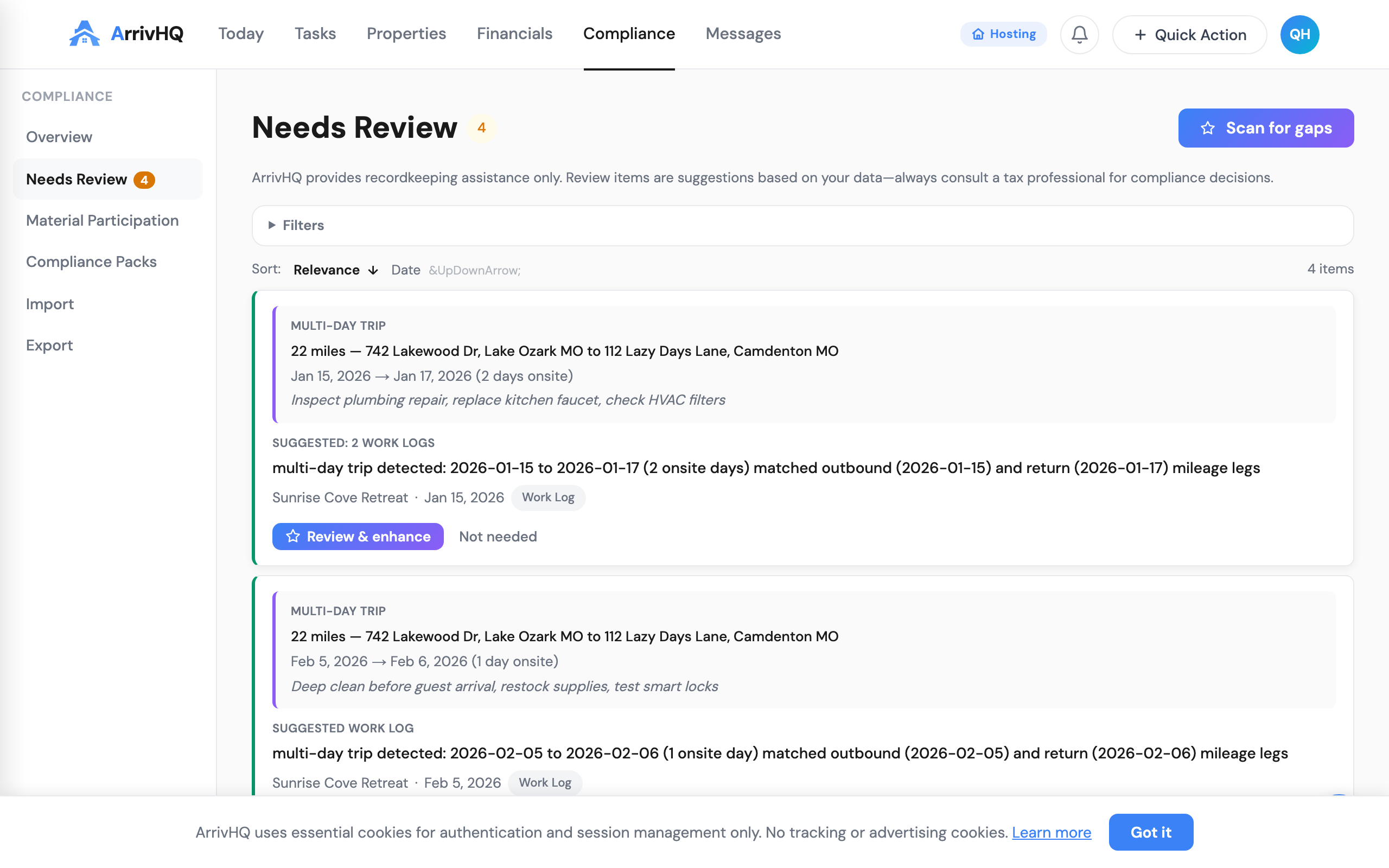
The system recognizes when you make a multi-day trip to a property. If you log an outbound mileage entry on Monday and a return on Wednesday, ArrivHQ detects this as a 2-day trip and suggests work logs for each onsite day.
The trip pairing algorithm handles real-world complexity. It splits at intermediate outbounds — so if you drove home on Tuesday and came back Wednesday, those are two separate trips, not one five-day trip. Supply runs (hardware store, dump, etc.) that happen during a trip are recognized and absorbed into the parent trip rather than creating standalone entries.
Reviewing and approving suggestions
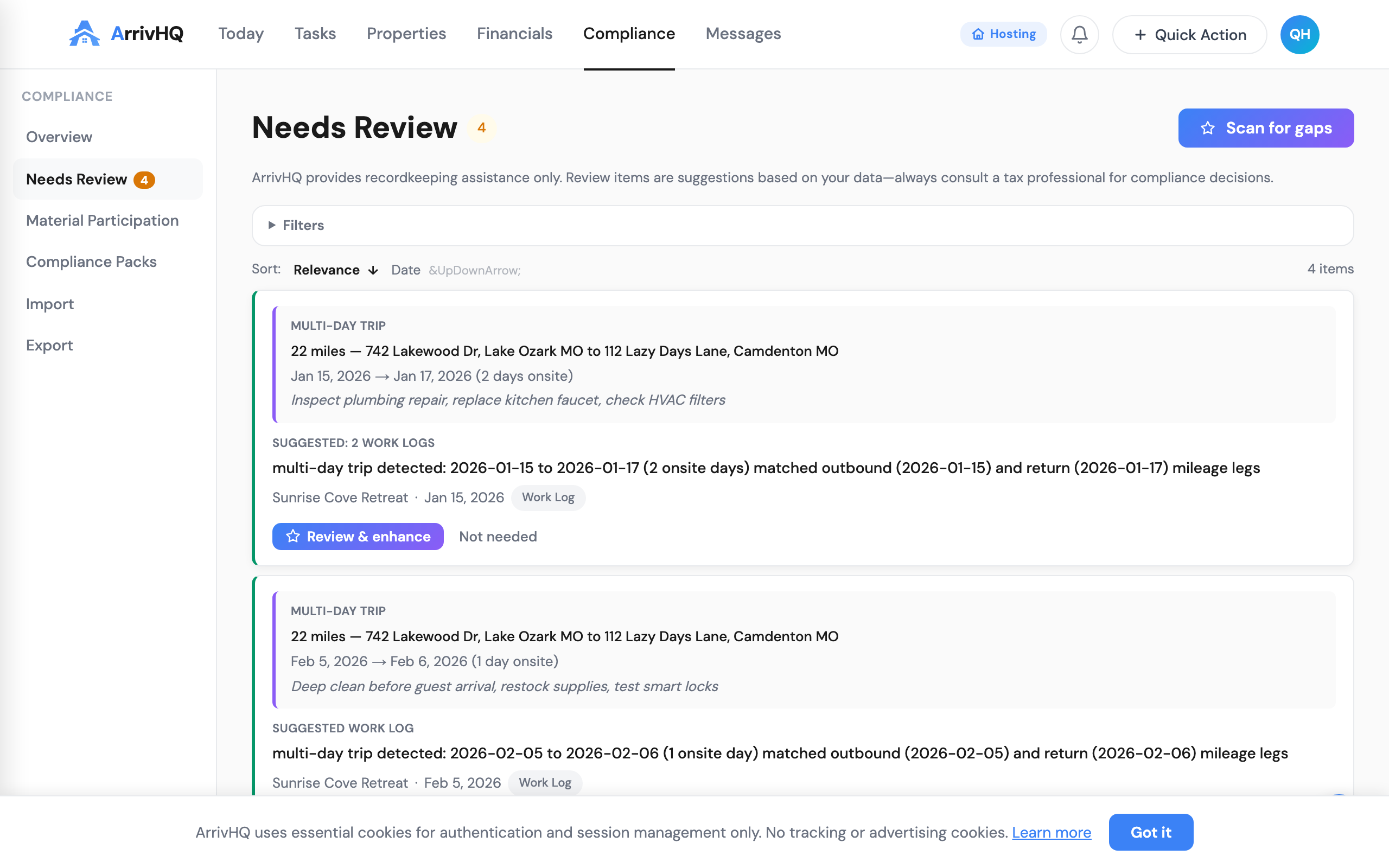
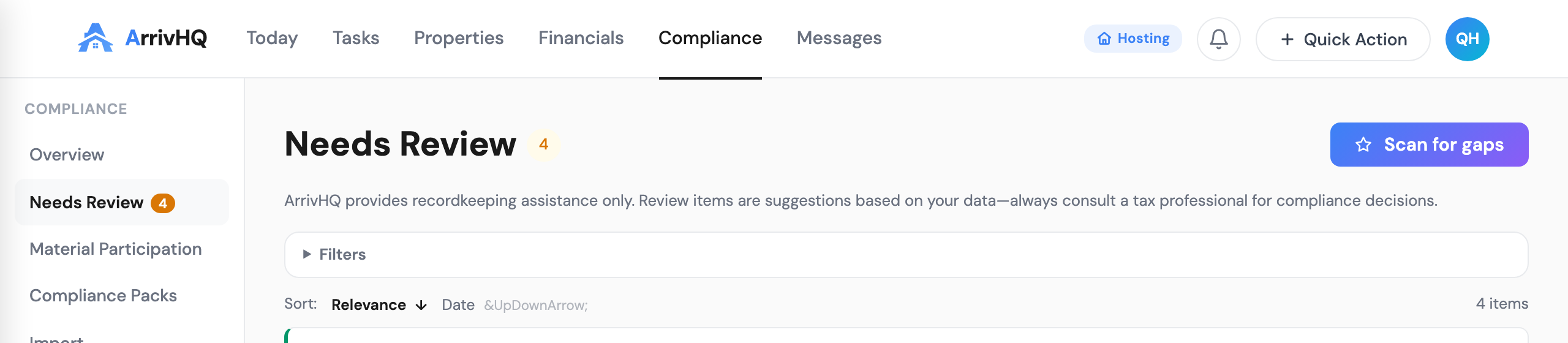
Every detected gap surfaces in the Needs Review queue under the Compliance section. Each item shows the source mileage entry that triggered detection, the suggested companion record, and a plain-language reason.
For each item, you have three choices.
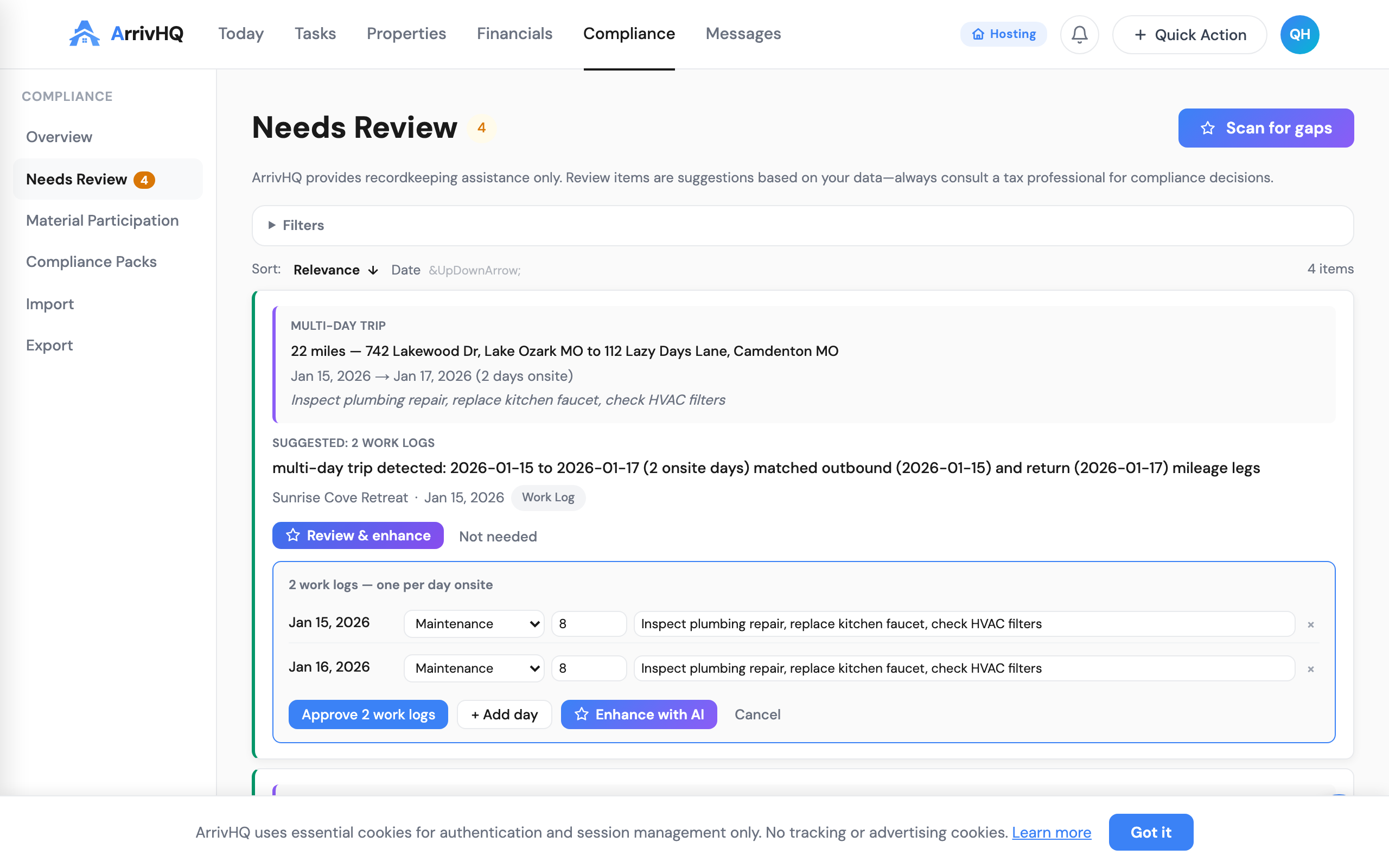
Review and approve opens an inline editor where you can adjust the category, hours, and description before creating the work log. For multi-day trips, each onsite day gets its own row that you can edit independently.
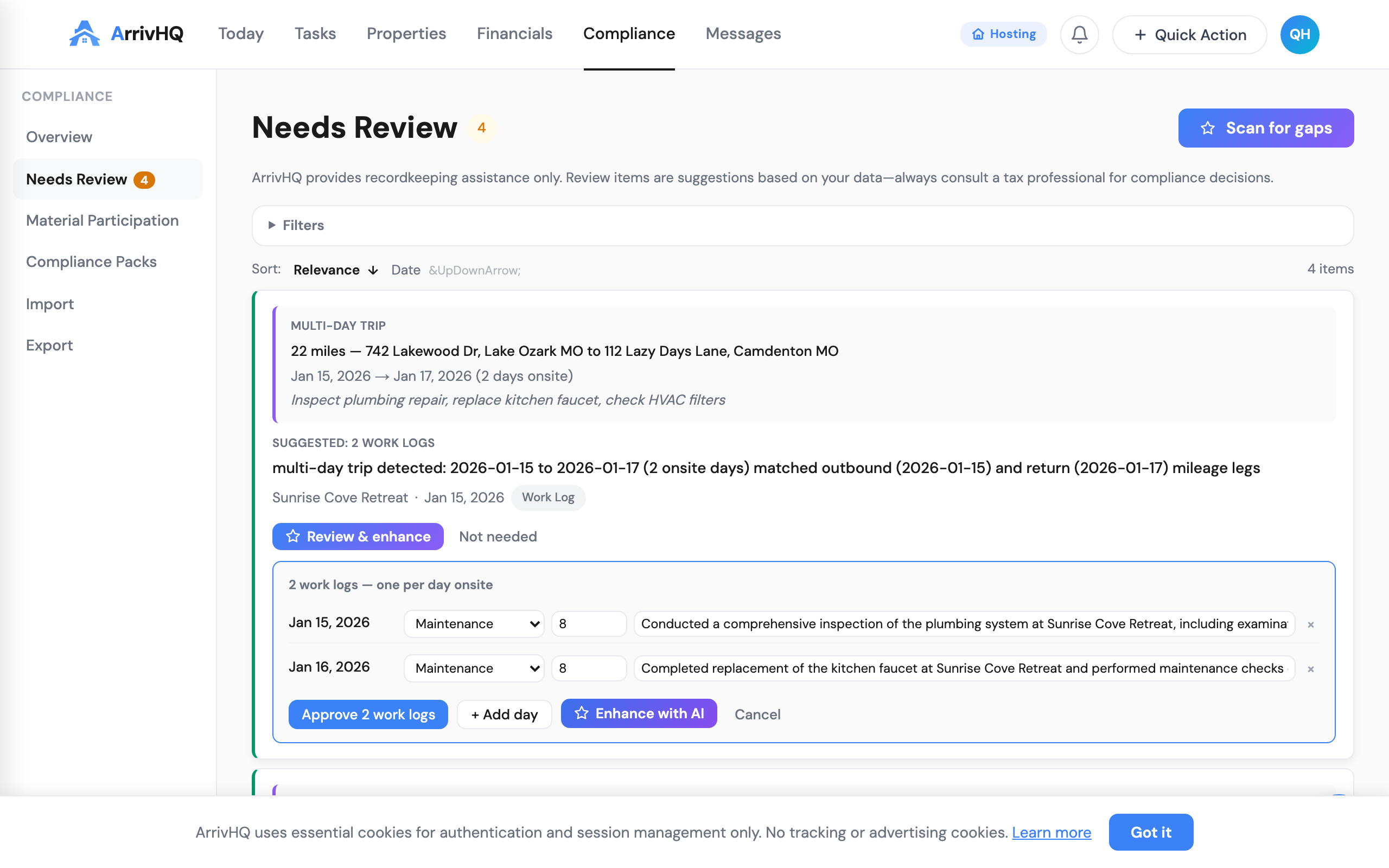
Enhance with AI rewrites your raw trip notes into professional IRS material participation descriptions. You can enhance all days at once or click the sparkle icon on individual rows to enhance just that entry. The AI uses your current text as input, so edit first, then enhance.
Dismiss marks the item as not needed. Select a reason — "I worked remotely," "already tracked," "not applicable" — which feeds into the learning system so similar suggestions are suppressed in the future.
Missing return detection
When you log an outbound trip but no return before your next trip, the system flags it. This is a data quality issue — your mileage records are incomplete. The Needs Review queue prompts you to log the return trip, keeping your records accurate before they reach your CPA.
Scanning your full year
The "Scan YTD" button on the Needs Review page runs detection across all your entries for the current year. It only creates new review items — entries that already have open items or existing companion records are skipped.
This is useful when you first enable gap detection or after a batch import. Run a single scan and review everything at once rather than waiting for entries to trickle in.
The system learns from you
Dismissals are not wasted. When you consistently dismiss a type of suggestion for a specific property — because supply drops there do not involve property management work — the system suppresses similar suggestions after a few dismissals.
This learning is scoped precisely. Dismissing supply-run suggestions for one property does not affect maintenance suggestions for that property, and does not affect any suggestions for your other properties. Patterns decay after 90 days without reinforcement, so the system adapts if your workflow changes.
You can view and reset learned patterns in your review preferences under Settings.
Which plans include gap detection
Gap detection is available on the Host and Portfolio plans. The Comply plan does not include gap detection — your entries are created normally, but companion checks do not run.
Complete records, no reconstruction
Tax compliance for short-term rental hosts is fundamentally a documentation story. The IRS does not question whether you drove to your property — they question whether you can prove it. Gap detection catches the moments when you did the work but forgot to write it down, and prompts you to complete the record while the details are still fresh.
A complete, contemporaneous record with no unexplained gaps is the strongest position you can present to a tax professional. Gap detection helps you build that record as you go, one entry at a time.
Related documentation: