
Your calendar is scattered across Airbnb, VRBO, and a spreadsheet you swore you would stop using. Some bookings have guest emails, some do not. Check-in times live in one place, checkout instructions in another. When a guest asks "what time can I arrive?" you are scrolling through three apps to find the answer.
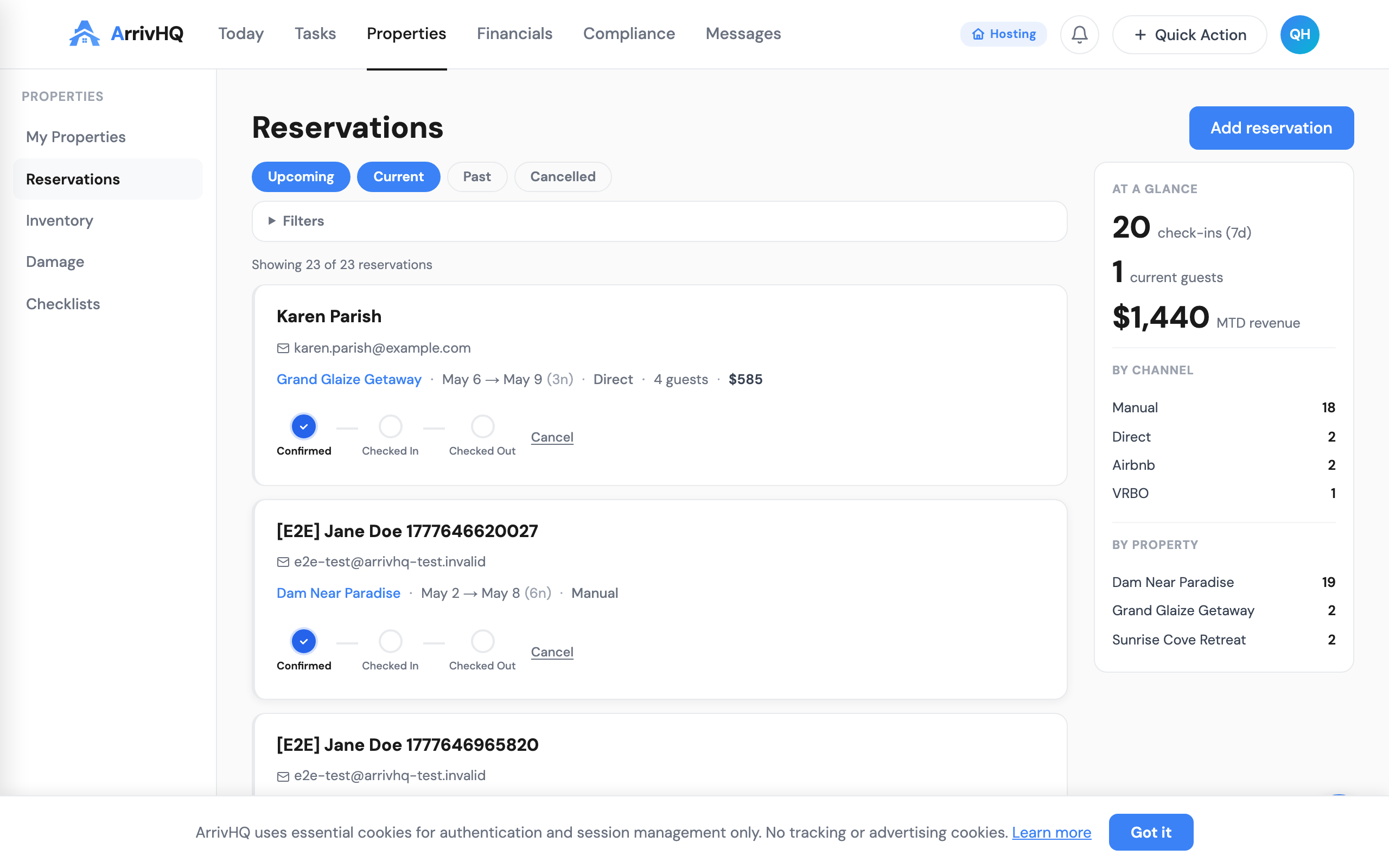
ArrivHQ puts every reservation in one place. Add them manually, sync from external calendars, or let the iCal integration pull them in automatically. Once a reservation exists, the full lifecycle — guest invitations, checklists, messaging, check-in, checkout, and turnover — flows from that single record.
Adding a reservation
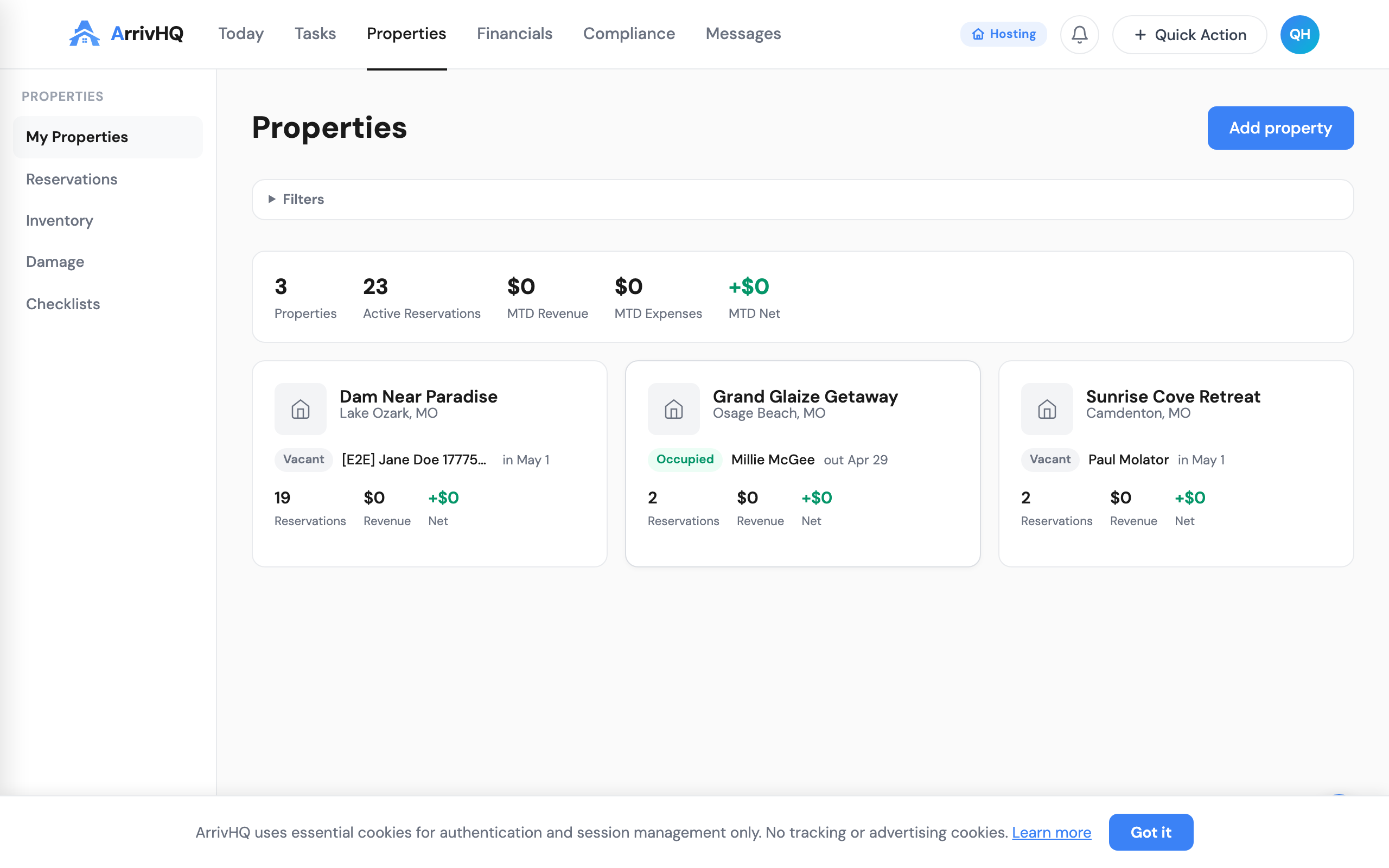
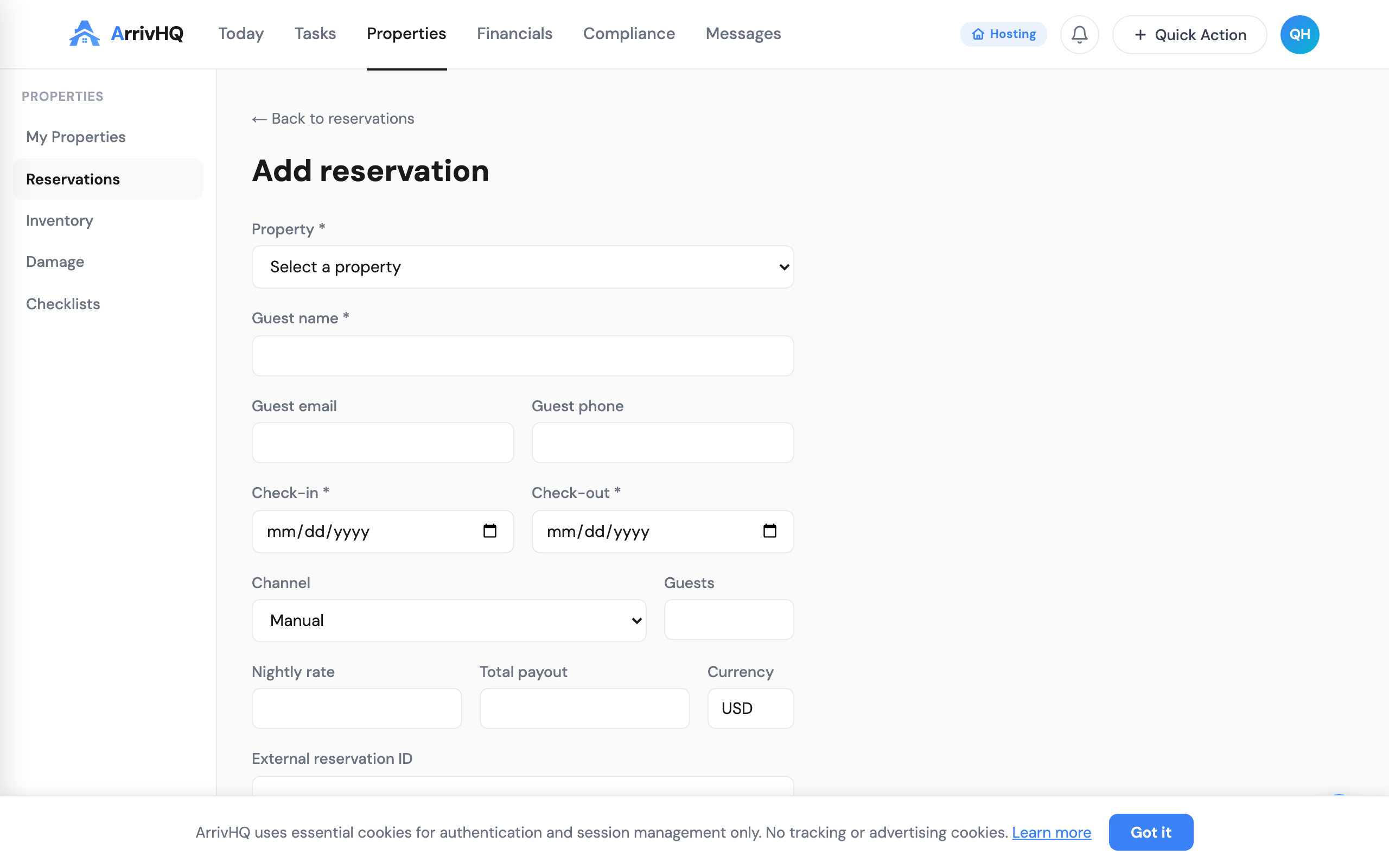
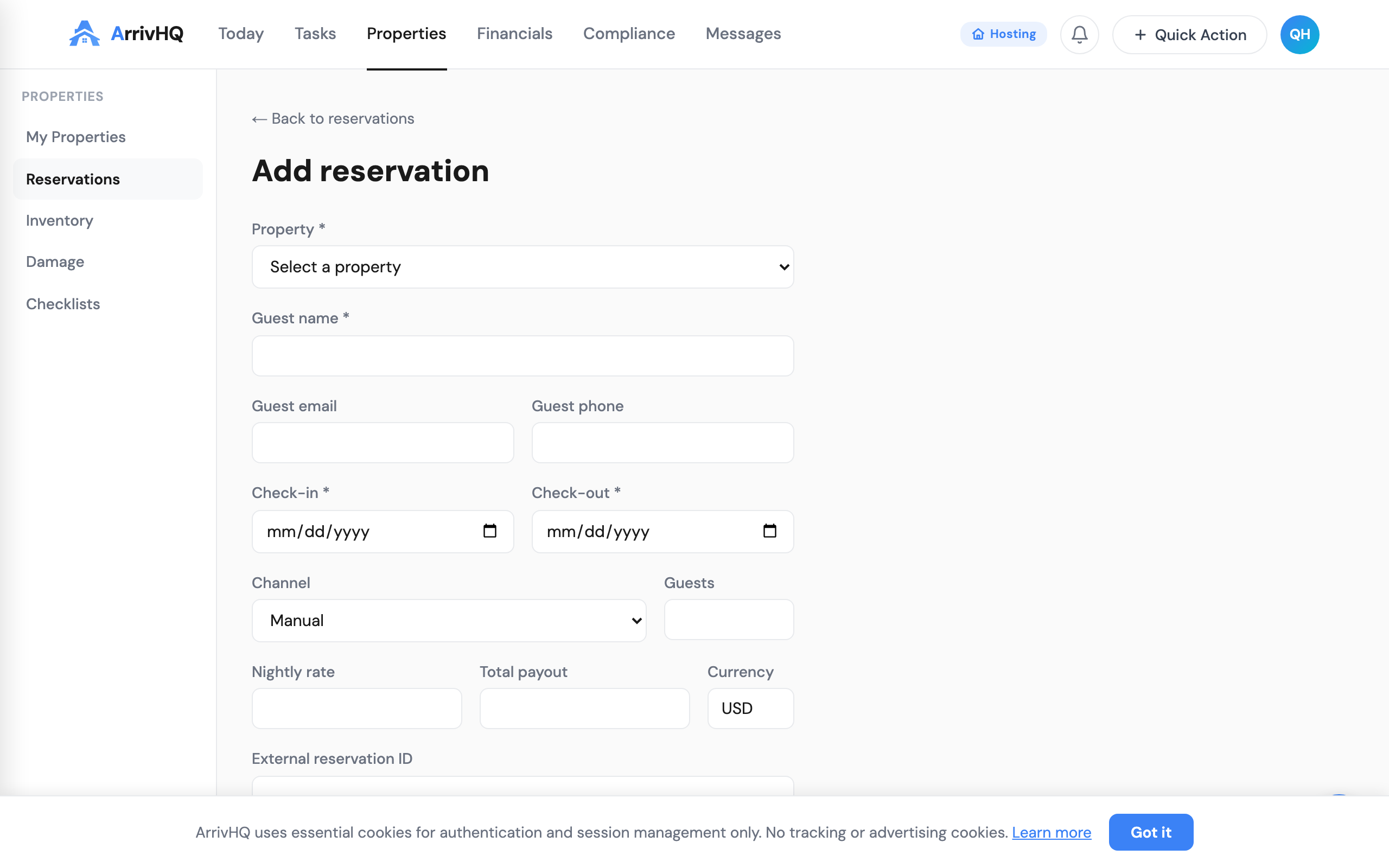
From any property page, click the + Quick Action button in the top navigation and select Reservation. Or go directly to the Reservations page from the Properties sidebar.
The required fields are simple: guest name, check-in date, check-out date, and which property. Everything else is optional but useful — guest email (needed for invitations), phone number, channel source (Airbnb, VRBO, direct), nightly rate, and notes.
If the guest email is provided, you can send an invitation immediately by checking "Send guest invitation." The guest receives an email with a link to accept, which gives them access to the guest portal.
Syncing from Airbnb and VRBO
If you manage listings on Airbnb or VRBO, you can sync reservations automatically using iCal links. Go to any property, open the Connections tab, and paste your iCal URL. ArrivHQ checks the calendar every few minutes and creates reservations for new bookings.
Synced reservations show the channel source badge (Airbnb, VRBO) so you always know where the booking came from. Guest names are pulled from the calendar data when available.
The reservation lifecycle
Every reservation moves through a clear sequence of statuses.
Confirmed is the starting state. The reservation is booked and the guest portal is active (if invited). Any checklists configured for "reservation created" trigger automatically at this stage.
Checked In means the guest has arrived. Change the status manually when the guest confirms arrival, or let them confirm through the guest portal. Check-in triggers any checklists configured for the check-in event.
Checked Out closes the stay. This triggers turnover checklists — cleaning, inspection, restocking — so your team knows exactly what to do before the next guest arrives. The checkout timestamp is recorded for compliance records, and the guest portal access window starts its 48-hour countdown (guests can still view their stay details and message you for two days after checkout).
Each status change is logged with a timestamp, making your reservation history a clean audit trail. If you need to prove occupancy dates for tax purposes, the data is already structured and exportable.
Inviting guests
Once a reservation has a guest email, click Invite Guest on the reservation detail page. The guest receives a secure link that expires 48 hours after checkout.
When the guest accepts, they get access to the full guest portal: arrival instructions, WiFi and access codes, the property guide, messaging with you, and any guest checklists (check-in procedures, rental agreements, photo uploads).
You can invite additional guests too — co-travelers, family members, or anyone who needs access to the property details.
Checklists triggered by reservations
ArrivHQ automatically creates checklists based on reservation events. Set up your checklist templates once, assign them to a property, and they fire on the right trigger:
- Reservation created — Pre-arrival prep, supply ordering
- Check-in — Guest welcome procedures, access code delivery
- Check-out — Turnover cleaning, inspection, restocking
- Turnover — Deep clean, maintenance checks
Each checklist appears on the Today page and can be assigned to team members. Guest-facing checklists (agreements, waivers, photo uploads) appear in the guest portal automatically.
Handling overlaps
If you add a reservation that overlaps with an existing booking on the same property, ArrivHQ shows a warning. You can still create it — some hosts intentionally overlap for same-day turnovers — but the warning helps catch scheduling mistakes before they become guest problems.
What comes next
Once reservations are flowing, the rest of ArrivHQ activates around them. Messages thread per-reservation. Damage claims link to specific stays. Compliance records (mileage, work hours) tie back to property visits that align with reservation dates.
For a walkthrough of the guest experience from the other side, see the guest portal guide. To set up the checklists that trigger on reservation events, see checklists and turnovers.
Related documentation: