
Most of what a short-term rental host does in a day is read a context, decide if anything needs a guest message, and write that message. The context can be a reservation row, a damage claim, a missed waiver, a check-out checklist that didn't get completed, an open issue. Until this quarter, every one of those surfaces routed you to a different page to type that message.
We watched hosts do this in PostHog session recordings. The pattern was always the same: scroll the Today page, see something worth a follow-up, click into a property page, click into a reservation, find the messaging tab, write the message, click back, lose your scroll position on Today, scroll back, find the next thing, repeat. Three clicks of overhead per message. Five lost scrolls per morning routine.
We rebuilt it. Every reservation surface in ArrivHQ — Today, the Reservations list, the property page Reservations panel, the damage list, the damage claim detail, the reservation Issues panel, the /tasks page — now mounts the same Message button. The button opens a slide-out drawer with the message history and an AI Draft button. No page change. No scroll loss. The conversation is in your peripheral vision while you keep scanning your day.
One card to render them all
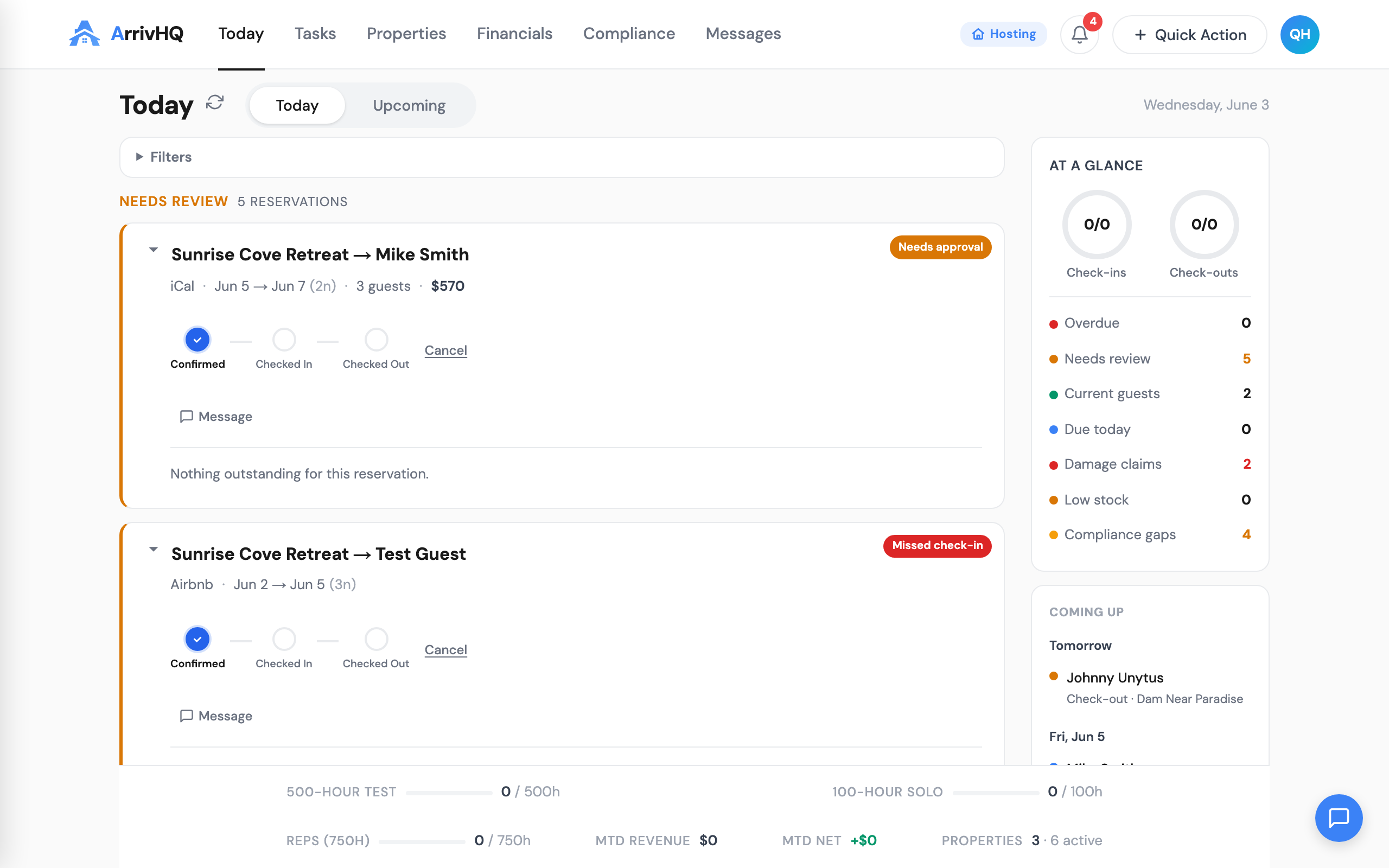
The Message button isn't the only thing that got unified. Underneath it, we rewrote the reservation card itself. Every reservation across the host UI now renders as the same component, with the same six variants: today, list, property-panel, compact, embedded, and audit. One title format. One expansion behavior. One way to read accent colors. One way to surface outstanding items. The data shape is the same, the variant just controls density.
This matters because the host's mental model is the reservation, not the surface. Going from /today to /reservations used to feel like switching apps because the cards looked different. Now they're the same card with the same affordances — and the Message button is one of the affordances that's always present.
The outstanding-items inside an expanded card render as a single shared component too — the UnifiedWorkItemCard — with HOST and GUEST badges so you can scan a long list and instantly see who owes the next action. Blue badge for host work (cleaner turnover, maintenance walkthrough). Green badge for guest work (waiver, ID upload, guest-side checklist). Color and text both, per our accessibility standard.
AI Draft, in context
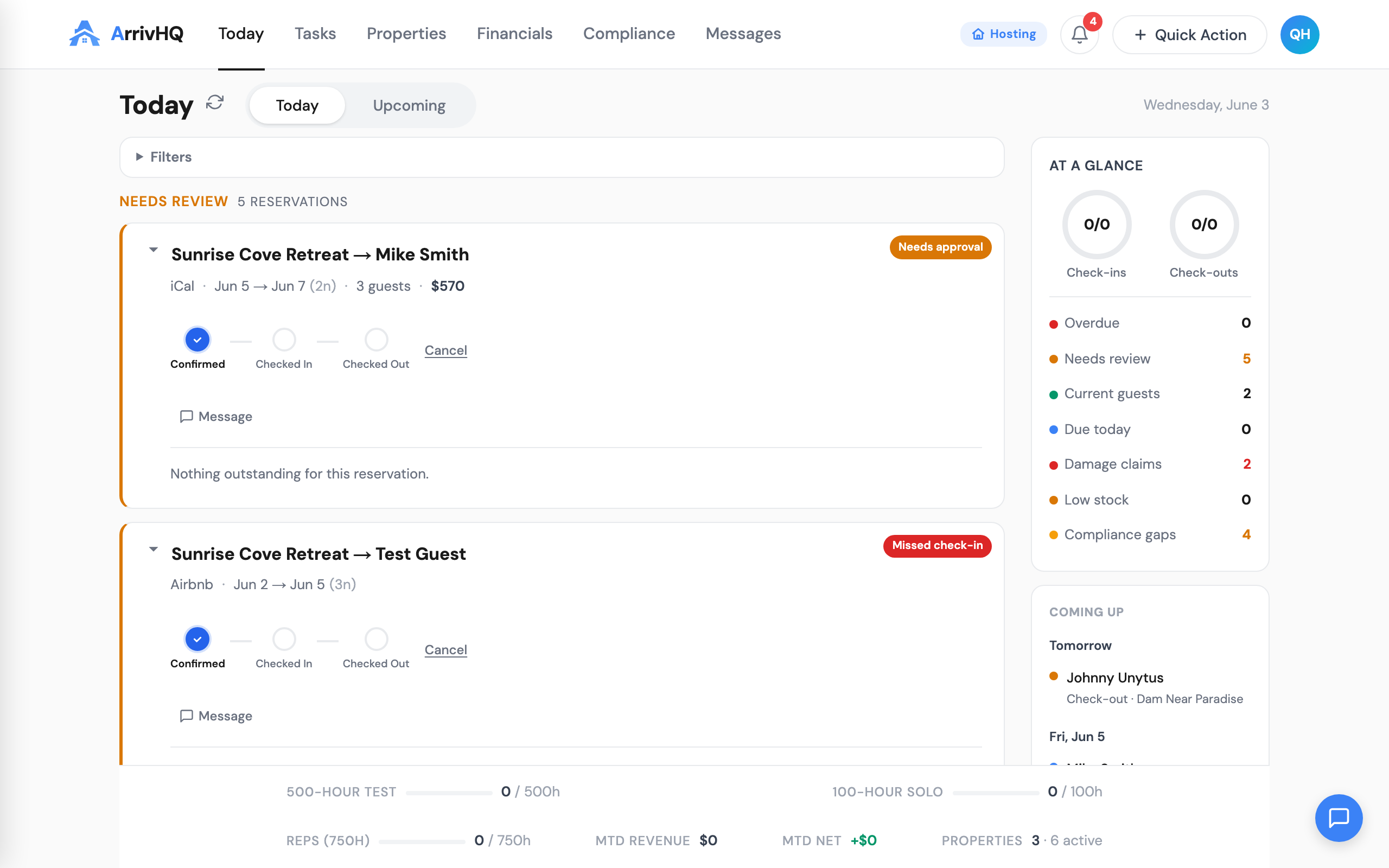
Click Message and the drawer slides in. Click AI Draft and Claude reads your conversation history, the property guide, and the active checklists, then writes a contextual reply for you to edit. The tone is tuned per surface — a warm thank-you for check-out, a welcome for check-in, a gentle reminder when guest activity is overdue. The model never sends without your manual edit and Send click.
AI Draft is included on Host and Portfolio plans. Comply tier hosts see the drawer in read-only mode with an upgrade link.
The thing we like most about AI Draft isn't the reply quality — it's the latency. By the time you have read the conversation history in the drawer, the draft is usually waiting in the composer. You edit, send, close, and you are back in your day. The whole interaction takes 15 seconds where it used to take 90.
Damage and issues, same surface
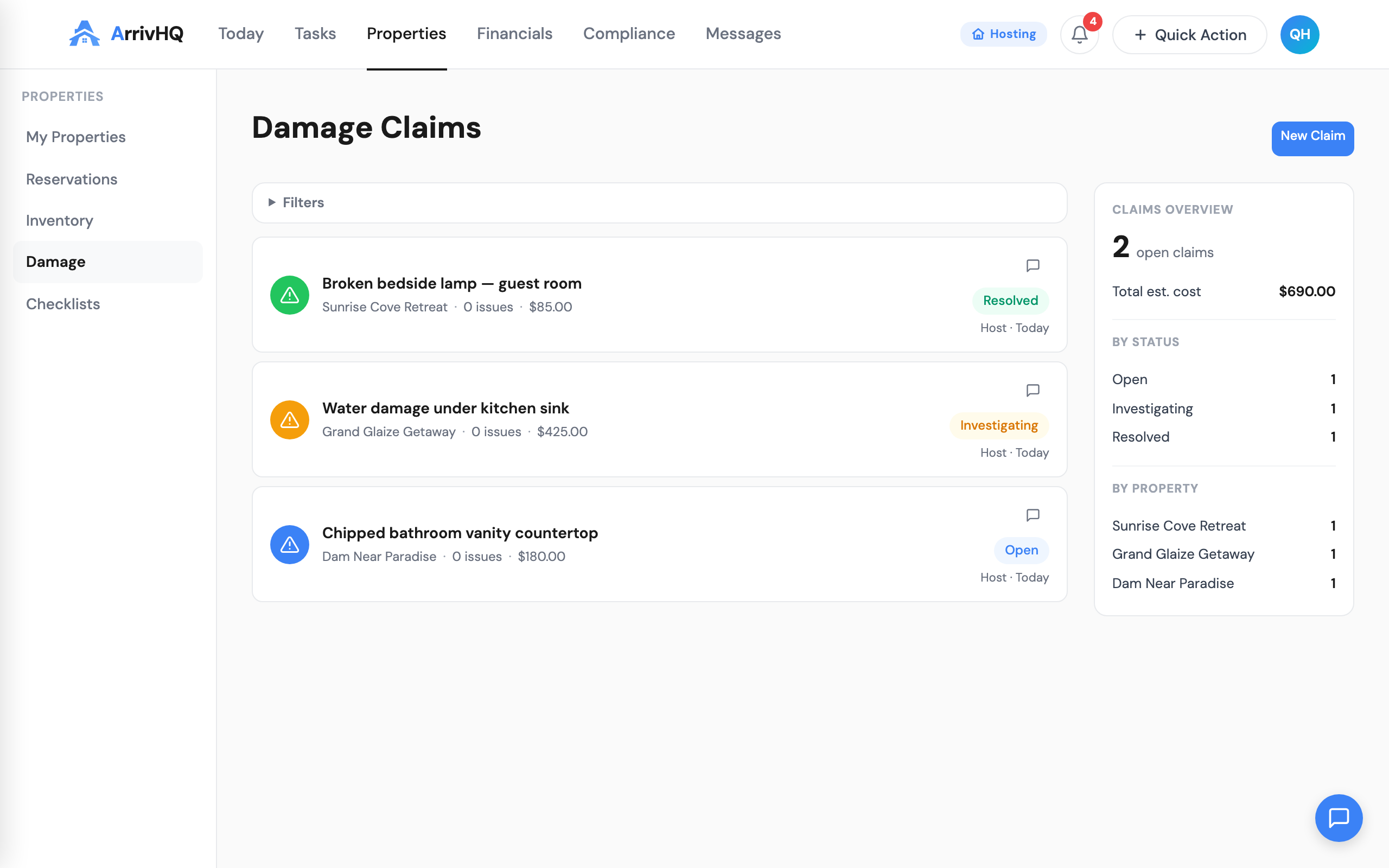
The Message button doesn't just live on reservation cards. It lives on every damage claim row in the damage list, on the damage claim detail page, and on each row in the reservation Issues panel. Damage and issues are exactly the contexts where you most need to message — and they were the worst surfaces under the old model because they were two levels deep from the messaging UI.
Property-only damage claims — claims with no linked reservation — don't show a Message button. There's no specific guest to message in that case. We considered defaulting to the property owner but decided that's a different action and shouldn't share the button.
How we built it
Three stacked PRs across one week.
The first PR introduced the shared types and the <UnifiedWorkItemCard> component, plus the API extensions that let /today return work items in the unified shape.
The second PR built the <ReservationCard> component with the six variants and the data-builder that maps any reservation row plus its outstanding items into the card's prop shape.
The third PR migrated the four call sites on the Today page from bespoke layouts to the new component, then deleted the dead code. A small hotfix landed an hour later for an /today early-return path that hadn't been updated to include the new work-items fields.
We then shipped a follow-up unifying the Message button itself — extracting it into a shared <MessageButton> component and adding it to the damage detail and issues panel, where it had been absent under the old model. Total scope: about 1,200 lines of code, mostly deletions.
What we kept
We did not change the messaging behavior itself. Messages still send through the same channels, still log to the same notification_log table, still respect the same plan-gating. The drawer is a thin shell around the existing messaging panel. We changed the surface, not the substance.
We also kept the existing reservation card title format — Property → Main guest — because every host had memorized it. The only addition was the accent system on the left edge, which now consistently encodes the urgency state across every surface (red for needs attention, amber for upcoming, green for in progress, neutral for everything else).
What's next
The reservation card is the kernel of the host UI. Now that it's unified, we can ship cross-cutting features once instead of six times. The next thing on the list is per-guest expansion of waiver tasks inside the card — so you can see which adult owes which signature without scrolling to the Guests panel.
We will also be landing the Message button on the /tasks page so the same affordance is available there. That's a small change that finishes the surface coverage.
If you have not opened a reservation card in the last week, do it now. The Message button is there, AI Draft is one click away, and the drawer keeps you on the page you were already on. It's the kind of change that feels small for the first hour and then changes how you spend the morning.