
Automated guest messages save you hours. The problem is they usually sound automated — a flat "Check-in is at 4 PM, here is the code" that no guest mistakes for a host who cares. ArrivHQ's guest messages now do the opposite work: they go out on schedule, but they read like you wrote them.
Here is what changed, and how to make the most of it.
A warmer voice, out of the box
The five standard messages — pre-arrival, day-of arrival, mid-stay, check-out, and post-stay — have been rewritten in a warmer, more human voice. Instead of a checklist of logistics, the pre-arrival note opens with "We're really looking forward to hosting you" and points guests to everything they need without burying them in detail. The check-out note thanks them for their stay instead of just listing tasks.
You do not have to do anything to get this — it is the new default. If you have customized your own templates, those are left exactly as you wrote them.
Your local recommendations, woven in automatically
The single biggest thing that makes a message feel personal is a real recommendation — the bakery two streets over, the quiet beach the tourists miss. ArrivHQ now lets you store those once and have them appear in the right messages on their own.
Open any property's guide and find the Local recommendations section. You can add four kinds of picks:
- Food & drink — the restaurants and cafés you would send a friend to
- Things to do — kayaking, hikes, tours, classes
- Sights & attractions — scenic spots, landmarks, photo stops
- Local tips — the insider know-how guests would never find on their own
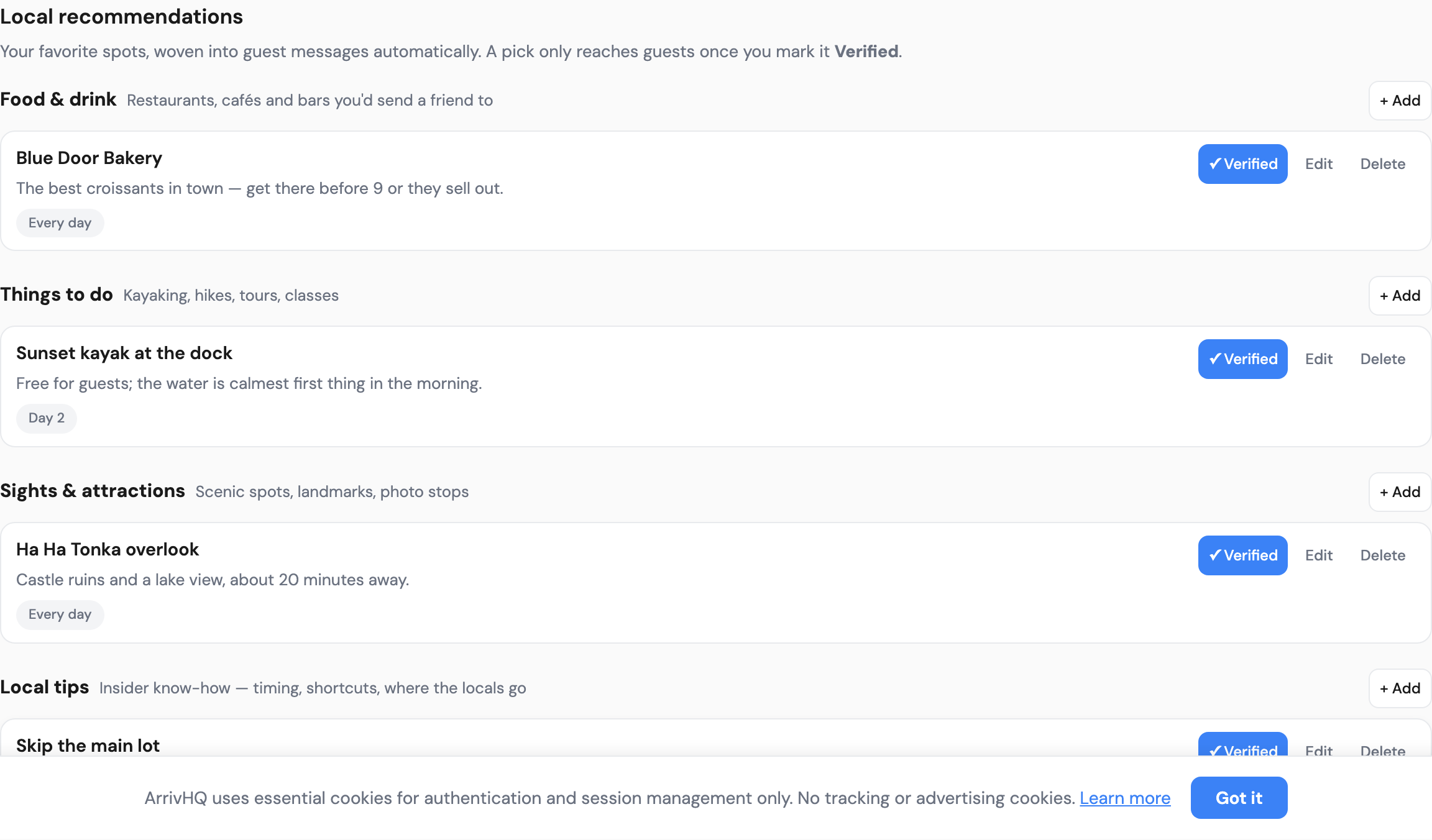
For each pick you add a short note about why you love it, an optional link, and — this is the useful part — which day of the stay it should show up. A breakfast spot can land in the pre-arrival message; a "if today is a slow day, try this" tip can land in the mid-stay note.
Nothing reaches a guest until you mark it Verified. That gate is deliberate: it means a half-finished idea never goes out, and you stay in control of every word a guest sees. Once a pick is verified, it appears automatically in the relevant messages — no copy-paste, no per-reservation editing.
A welcome back for repeat guests
If someone has stayed with you before, the generic "welcome, here is how check-in works" is exactly the wrong note — they already know. ArrivHQ now recognizes a returning guest and automatically swaps in a short "welcome back, great to have you again" line. First-time guests still get the full welcome. You maintain one template; the right version goes to the right person.
Stop copying your house rules into messages
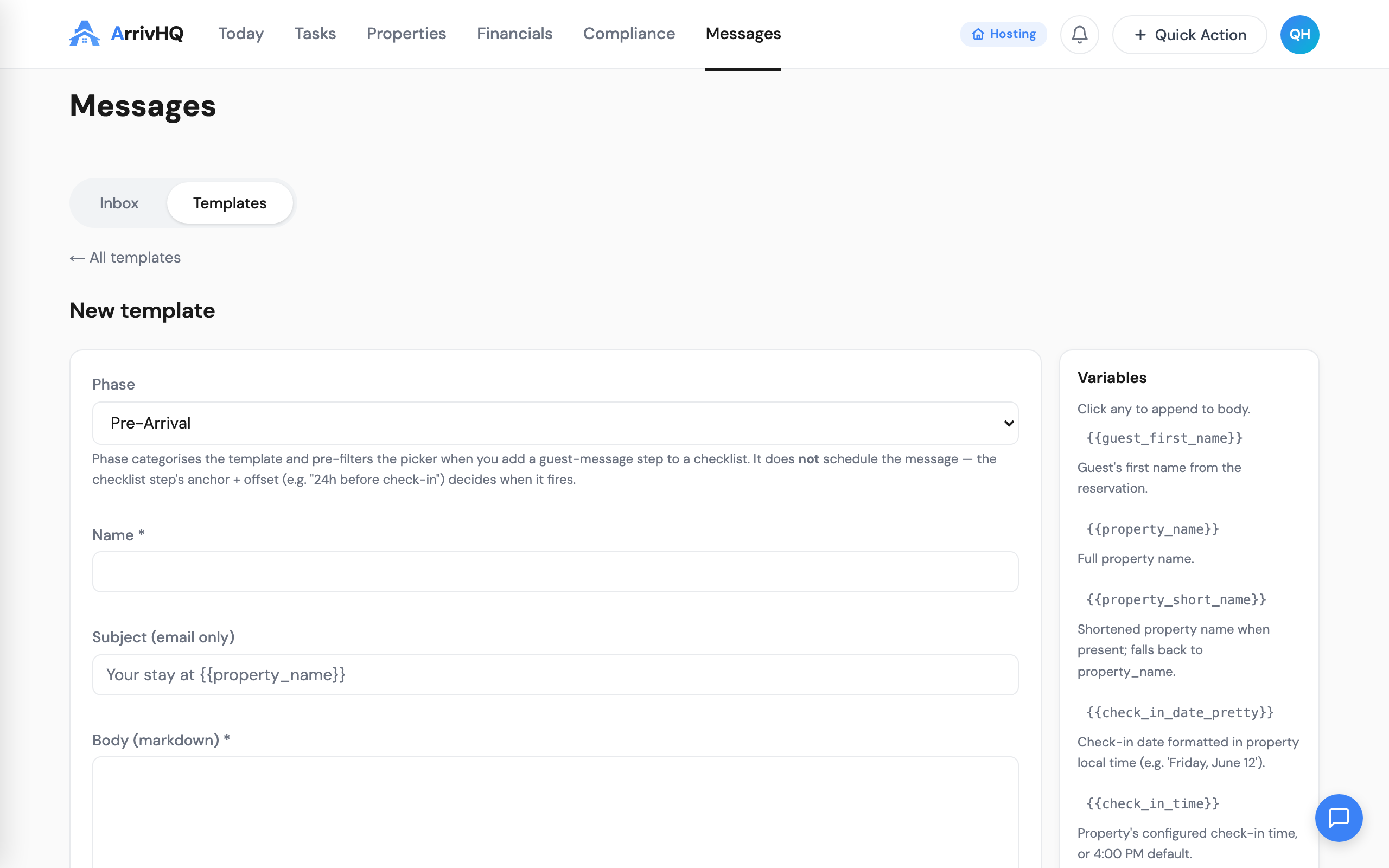
If you have ever pasted your Wi-Fi details or house rules into a message, you know they drift the moment you update the guide. Now you can drop your guide content straight into a template with building blocks like {{section:house_rules}}, {{section:wifi}}, or {{section:parking}}. The message pulls the live content from your guide, so you edit it in one place and every message stays correct.
The available building blocks are listed right in the template editor, so you can see what you can insert as you write.
Why the small touches matter
A guest who arrives to a message that names their kids' favorite ice cream place, or that says "welcome back," forms a different impression than one who gets a code and a check-out time. That impression is what turns into a five-star review and a direct rebooking. The work that used to make those touches impossible at scale — remembering who is a repeat guest, keeping recommendations current, writing warmly every time — is now the part ArrivHQ handles.
Set your recommendations once, verify the ones you stand behind, and let the messages do the rest.
To get started, see Personalized guest messages and Local recommendations in messages in the docs.