
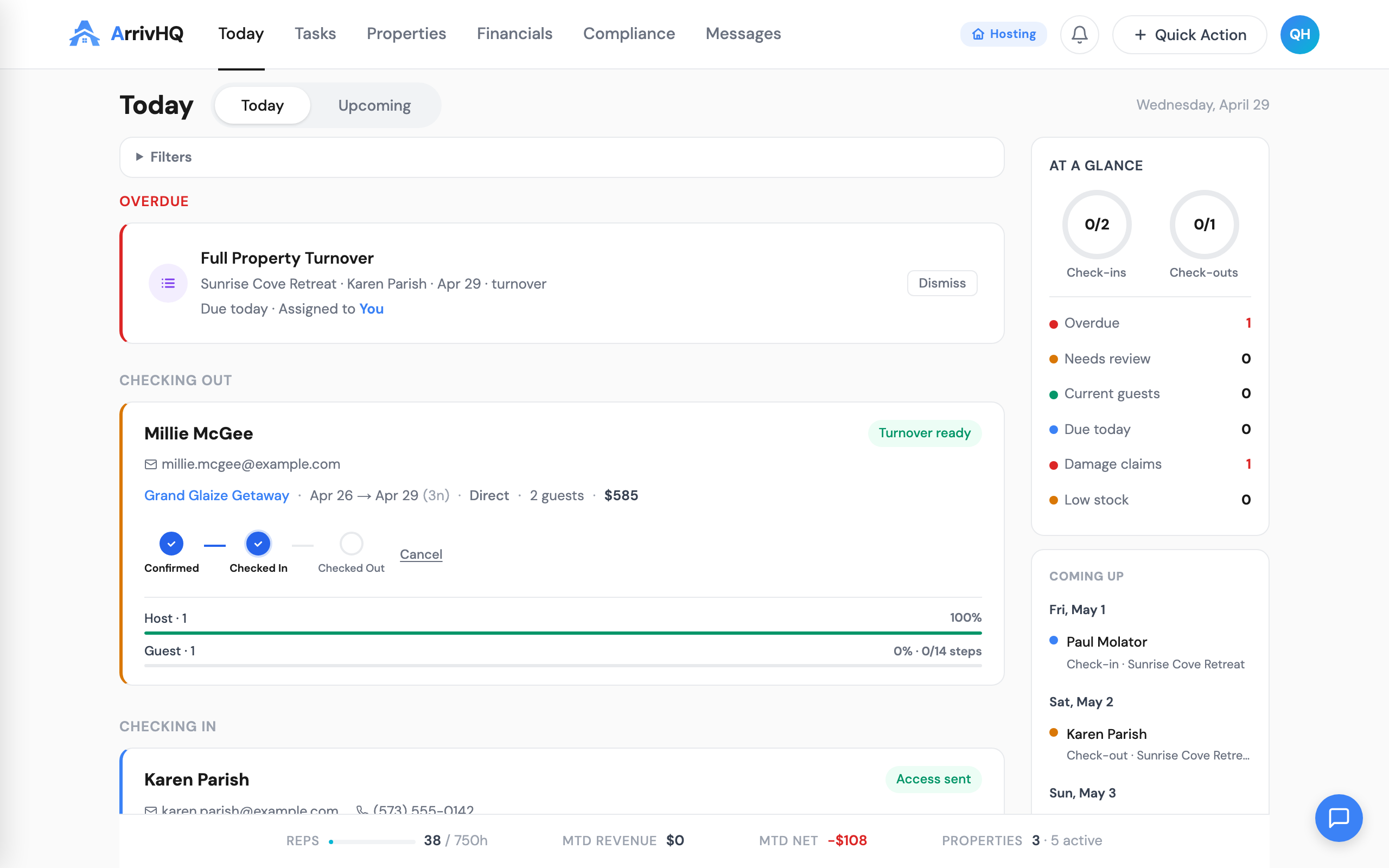
You have been asking for it, and it is here. ArrivHQ now installs directly on your phone, tablet, or computer -- no app store, no downloads, no waiting for updates. Open it from your home screen, get a full-screen experience, and receive instant push notifications when something needs your attention.
What changed
ArrivHQ is now a Progressive Web App (PWA). That means your browser can install it as a standalone app with its own icon, its own window, and no browser chrome getting in the way. It also means push notifications -- the kind that show up on your lock screen -- for the events that matter most.
Install it in 30 seconds
On your iPhone or iPad
- Open Safari and go to arrivhq.com.
- Tap the Share button at the bottom of Safari.
- Tap Add to Home Screen, then tap Add.
That is it. ArrivHQ appears on your home screen and opens full-screen.
On Android
Chrome shows an install banner automatically when you visit arrivhq.com. Tap Install and you are done.
On your Mac or PC
In Chrome, Edge, or Arc, look for the install icon in the address bar. Click it, confirm, and ArrivHQ appears in your Dock or taskbar.
Push notifications for hosts
Once installed, ArrivHQ asks if you want to enable notifications. Say yes and you immediately start receiving alerts for:
- Guest messages -- know the moment a guest reaches out
- Damage reports -- a guest reported an issue at your property
- Checklist completions -- a guest signed a waiver or finished their check-in checklist
- Guest activity -- a new companion was added to a reservation
Each notification taps through to the exact message, damage claim, or reservation -- no hunting through the app.
Control what you get
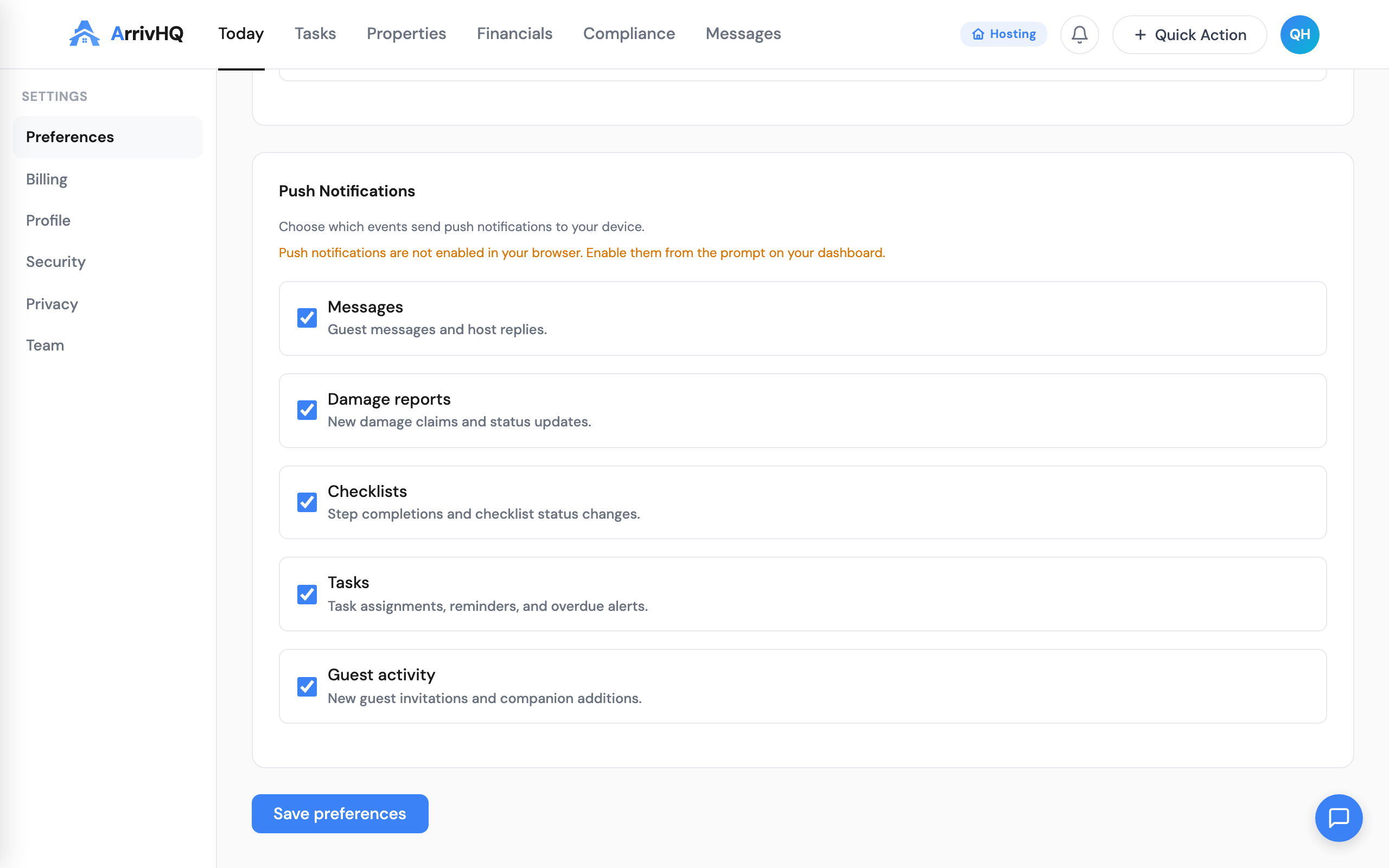
Go to Settings > Preferences > Push Notifications to toggle each category on or off. Turn off checklists but keep messages. Turn off guest activity but keep damage. Your call.
Push notifications for guests
Guests see a notification prompt when they open their stay details. Once enabled, they get notified when their host sends a message or updates their stay. On iPhone, the guest needs to install ArrivHQ to their home screen first -- then push works.
Always up to date
Unlike app store apps, ArrivHQ updates itself. When we ship a feature, you get it the next time you open the app. No update button, no version numbers, no waiting for Apple or Google to approve anything.
What is next
We are continuing to improve the installed app experience. Richer offline support and notification states are on our list of future improvements. For now, install it, enable notifications, and never miss a guest message again.
Learn more: See our docs for step-by-step install guides for hosts and guests.